
The jingling sound of a piggy bank once defined childhood savings. Today, that sound is increasingly replaced by the “ping” of a smartphone notification. As we move closer to a cashless society, parents face a modern dilemma: should you teach your children about money using the tactile reality of physical bills, or should you embrace the digital tools they will inevitably use as adults? Financial literacy for children is no longer just about counting pennies; it is about understanding value in an era where money is often invisible.
Teaching kids and money management requires a strategy that evolves with their cognitive development. While a five-year-old might struggle to grasp the concept of a digital balance on a screen, a teenager might find physical cash cumbersome and irrelevant to their online spending needs. Both methods offer distinct advantages, but the “best” choice depends heavily on your child’s age, your family’s lifestyle, and the specific habits you want to instill.

The Case for Cold Cash: Sensory Learning and Scarcity
Physical currency provides a sensory experience that digital numbers simply cannot match. For younger children, the act of holding a five-dollar bill creates a concrete connection between labor and reward. When they hand that bill to a cashier and receive a toy in return, they witness the immediate disappearance of their resources. This “pain of paying” is a vital psychological hurdle that helps prevent impulsive spending later in life.
Cash also provides an unmatched visual representation of progress. Using clear glass jars for different categories—such as “Save,” “Spend,” and “Give”—allows a child to see their wealth grow over time. This visual feedback loop reinforces the habit of delayed gratification. According to research cited by the National Endowment for Financial Education (NEFE), early exposure to tangible financial concepts builds a foundation for more complex economic decision-making in adulthood.
Key Advantages of Cash:
- Immediate Feedback: When the jar is empty, the spending stops. There is no confusion about “available credit.”
- Math Skills: Counting coins and making change reinforces basic arithmetic in a real-world setting.
- Low Stakes: If a child loses a five-dollar bill, it is a localized lesson. There are no monthly subscription fees or data privacy concerns.
“Cash is the ultimate teacher of scarcity. When it’s gone, it’s gone. That physical empty space in a wallet speaks louder to a child than any red text on a digital screen.” — Suze Orman, Personal Finance Expert

The Rise of Allowance Apps: Preparing for a Digital Future
While cash is an excellent starting point, we cannot ignore the reality of the modern economy. Most adults rarely touch physical money, instead managing their lives through direct deposits, autopay, and digital wallets. Using allowance apps introduces children to the tools they will use for the rest of their lives. These platforms often function as “training wheels” for a real bank account.
Allowance apps like Greenlight, FamZoo, or BusyKid offer features that cash simply cannot provide. You can automate transfers, set interest rates to teach the power of compounding, and even create “parent-paid” interest to incentivize long-term savings. Furthermore, these apps allow for granular tracking. You and your child can review a digital ledger of every transaction, making it easier to identify spending patterns and discuss them during weekly family meetings.
Benefits of Digital Platforms:
- Convenience for Parents: You can set up recurring transfers so you never “forget” allowance day because you didn’t have the right bills in your wallet.
- Automated Savings: Many apps allow you to automatically divert a percentage of every “dollar” earned into a savings or investment bucket.
- Security and Oversight: If your child loses their debit card, you can freeze it instantly from your own phone. You also receive real-time notifications of where and when they spend.
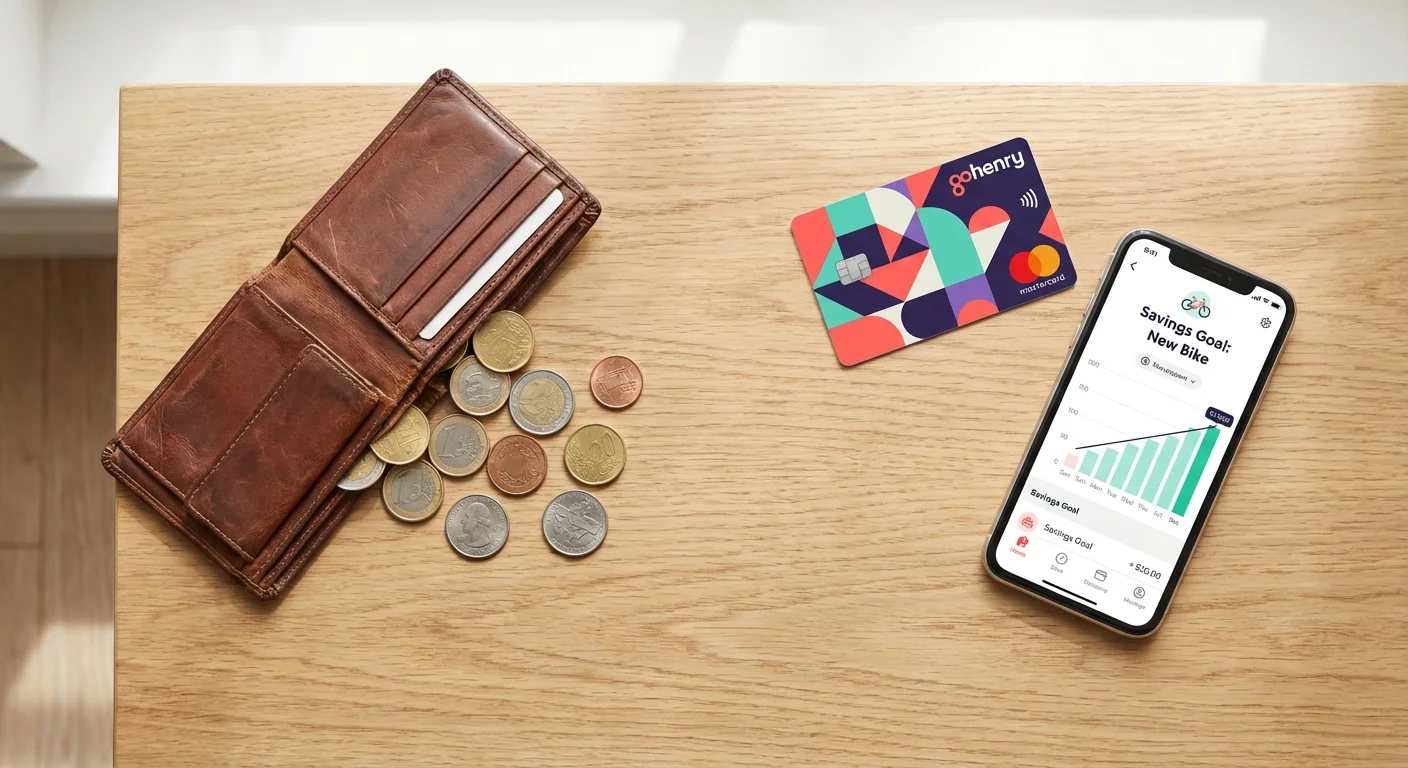
Comparing the Two Methods: A Direct Look
Choosing between these methods involves weighing different priorities. The following table compares how each method handles the core pillars of financial education.
| Feature | Cold Cash Method | Allowance Apps Method |
|---|---|---|
| Primary Learning Goal | Understanding scarcity and physical value. | Budgeting, tracking, and digital security. |
| Best Age Group | Preschool through early elementary (Ages 3-9). | Late elementary through high school (Ages 10-18). |
| Parental Effort | High (Must remember to have physical bills). | Low (Automated transfers and notifications). |
| Risk Level | Low (Loss of physical cash only). | Medium (Data privacy, potential for hidden fees). |
| Interest/Growth | Manual (You must add the “interest” yourself). | Automatic (Calculated by the app software). |

The Psychology of the “Invisible Dollar”
One of the biggest hurdles in modern financial literacy is the abstract nature of digital money. When we swipe a card or tap a phone, we don’t feel the same psychological “sting” as we do when handing over a twenty-dollar bill. This phenomenon often leads to overspending. For children, this abstraction can be even more dangerous because they lack the life experience to understand that the numbers on the screen represent real hours of work.
If you choose to use an allowance app, you must actively bridge this psychological gap. Discuss the balance frequently. Ask your child to look at their app before entering a store to decide on a budget. The Consumer Financial Protection Bureau (CFPB) emphasizes that “money talk” is just as important as the money itself. Whether you use coins or pixels, the conversation surrounding the transaction is what truly builds the habit.

Age-Appropriate Milestones: When to Make the Switch
Financial education is not a “one and done” lesson; it is a progression. Most experts recommend a hybrid approach that transitions from physical to digital as the child matures.
Ages 3 to 6: The Piggy Bank Era
At this stage, focus on identification. Teach them what a nickel is versus a quarter. Use clear jars so they can see their money growing. The goal here is simple: “I do a task, I get a coin, I put it in the jar.”
Ages 7 to 11: The Transition Phase
This is the ideal time to introduce basic budgeting. You might continue using cash for their weekly allowance but introduce a simple spreadsheet or a shared digital note to track their “balance.” This prepares them for the abstract nature of digital banking without removing the physical connection to money.
Ages 12 to 18: The Digital Management Era
By middle school, most children are ready for an allowance app or a teen checking account. At this stage, you should shift the focus to monitoring transactions, understanding fees, and learning about digital security. Encourage them to use features like “savings goals” to plan for larger purchases, such as a gaming console or their first car.

Professional vs. Self-Guided: Choosing Your Approach
Depending on your comfort level with technology and finance, you might choose a highly structured app or a more organic, DIY method. Consider these scenarios:
Scenario A: The Hands-Off Automator
If you find yourself constantly forgetting to pay allowance or if you want a system that “just works,” a dedicated allowance app is the professional choice. These platforms (like Greenlight) offer robust features, including chore management and even basic investing, for a monthly fee. This is best for parents who want a structured curriculum built into the tool.
Scenario B: The DIY Educator
If you prefer to teach from scratch and avoid monthly fees, a self-guided cash system or a simple free checking account from a local credit union is better. You will need to be more disciplined about your weekly check-ins, but you have more control over the specific lessons you teach. This approach is excellent for parents who want to integrate financial lessons into daily life without a third-party interface.
Scenario C: The Hybrid Strategist
You might use cash for chores and “extra” money but use a digital app for their “salary” (the money meant for necessities like clothing or lunch). This allows the child to experience both the tactile reality of cash and the practical utility of digital payments.

Common Mistakes to Avoid
Regardless of the method you choose, certain pitfalls can undermine your efforts to teach financial literacy. Avoid these common errors:
- Bailing them out: If your child spends their entire allowance in one day, do not “loan” them more money to buy a treat later in the week. The most powerful lessons come from the natural consequences of poor decisions.
- Inconsistency: If you forget to pay the allowance for three weeks and then pay it all at once, you break the cycle of budgeting. Use reminders or automation to ensure the “paycheck” arrives on time.
- Ignoring the “Why”: Simply giving money is not enough. You must explain why you are giving it, how they earned it, and what your expectations are for its use.
- Making it all about chores: While tying money to work is important, many experts suggest a “base” allowance for being part of the family, with “extra” chores earning “extra” pay. This ensures they have some money to practice with, regardless of the chore schedule.
Frequently Asked Questions
Are allowance apps safe for my child?
Most major allowance apps use bank-level encryption and are FDIC-insured through their partner banks. However, you should always read the privacy policy to understand how your child’s data is used. Look for apps that are compliant with the Children’s Online Privacy Protection Act (COPPA).
At what age should I start an allowance?
Most children are ready to start learning about money as soon as they understand that items in a store cost money and aren’t just “given” to you. This usually happens around age five or six.
Should I pay for “good grades” or just “chores”?
This is a personal family decision. However, many financial educators suggest keeping grades and chores separate. Chores teach responsibility within a household, while grades are the child’s “job.” Some parents prefer to reward the effort rather than the letter grade itself.
What is a reasonable allowance amount?
A common rule of thumb is $1 to $2 per week for every year of the child’s age. For example, a 10-year-old would receive $10 to $20 per week. Adjust this based on your family’s budget and what expenses the child is expected to cover (e.g., if they pay for their own movie tickets, the amount should be higher).
Implementing Your Strategy
If you are ready to start, follow these three practical steps to launch your child’s financial education:
- Define the rules: Sit down with your child and decide what the money is for. Will they pay for their own toys? Their own snacks? Half of their video games? Clear boundaries prevent future arguments.
- Select your tool: Pick one method (cash or app) and stick with it for at least three months. Consistency is more important than the specific platform you choose.
- Schedule a “Money Minute”: Once a week, spend five minutes reviewing their jar or their app balance. Ask them what they are saving for and if they are happy with their recent purchases.
Financial literacy is a marathon, not a sprint. By giving your child the tools to manage money—whether physical or digital—you are giving them the gift of independence. Start small, stay consistent, and remember that every mistake they make today with ten dollars is a mistake they won’t make tomorrow with ten thousand.
The information in this guide is meant for educational purposes. Your specific circumstances—including income, debt, tax situation, and goals—may require different approaches. When in doubt, consult a licensed professional.
Last updated: February 2026. Financial regulations and rates change frequently—verify current details with official sources.








Leave a Reply