
Most people treat their monthly bank statement like a piece of junk mail or a digital notification to delete immediately. You might glance at the final balance to ensure you aren’t overdrawn, but then you likely close the PDF and move on with your day. This habit, while common, leaves you vulnerable to clerical errors, hidden fees, and even identity theft. Your bank statement is more than a list of numbers; it is a diagnostic tool for your financial health.
Understanding every line item allows you to reclaim control over your cash flow. If you find yourself wondering where your money went at the end of the month, the answer sits inside that document. This guide breaks down the complex terminology and layout of modern bank statements, turning a confusing grid of data into an actionable roadmap for your money.

The Essentials
- The Summary Box: This provides a high-level view of your starting balance, total deposits, total withdrawals, and ending balance.
- Transaction Codes: Banks use shorthand like ACH, POS, and OD to describe how money moved—knowing these helps you spot unauthorized activity.
- Reconciliation: Matching your internal records (or app logs) with the bank’s statement ensures you aren’t missing pending transactions that could lead to overdrafts.
- Error Windows: You generally have a 60-day window to dispute errors or fraudulent charges under federal law.

The Anatomy of Your Financial Month
While every institution—from national giants like Chase to local credit unions—uses a slightly different layout, almost all statements follow a standardized flow. Mastering the “anatomy” of the document allows you to find the information you need in seconds rather than minutes.
1. The Account Header
The top of the first page contains your “static” information. You will find your account number (often masked for security), the statement period, and your contact information. Pay close attention to the statement period dates. Financial habits often change during holidays or vacation weeks; knowing exactly which 30-day window you are looking at provides necessary context for your spending spikes.
2. The Account Summary
Think of this as the “Executive Summary” of your month. It typically looks like a small table at the beginning of the document. It calculates your Beginning Balance + Total Deposits – Total Withdrawals = Ending Balance. If your ending balance is significantly lower than your beginning balance, and you didn’t have a major planned expense, this summary serves as an immediate red flag to dig deeper into the transaction details.
3. Transaction Details
This is the chronological list of every cent that entered or left your account. Each entry includes the date, a description of the merchant or service, and the amount. Some banks provide two dates: the “Transaction Date” (when you swiped your card) and the “Posting Date” (when the money actually left the account). Always use the posting date for your final balance calculations.
“Stop telling yourself you don’t know where the money goes. Every month, the bank sends you a document that tells you exactly where it went. Read it.” — Suze Orman, Personal Finance Expert

The Secret Language: Decoding Bank Statement Symbols
Banks love acronyms. These codes help them save space on the page, but they often confuse the average consumer. If you see a string of letters next to a charge, use this table to decode the checking account activity.
| Code/Symbol | What It Means | Common Use Case |
|---|---|---|
| ACH | Automated Clearing House | Direct deposits from your employer or automatic utility bill payments. |
| POS | Point of Sale | A transaction made with your debit card at a physical or online store. |
| ATM | Automated Teller Machine | Cash withdrawals or deposits made at a kiosk. |
| OD / NSF | Overdraft / Non-Sufficient Funds | A penalty fee for spending more money than you have in the account. |
| CR | Credit | Money added to your account (a deposit or a refund). |
| DR | Debit | Money taken out of your account (a purchase or a fee). |

Why Your Balance Never Seems to Match
You might log into your mobile app and see one number, then look at your statement and see another. This discrepancy often causes unnecessary panic. The reason usually lies in “pending” transactions. When you pump gas or eat at a restaurant, the merchant often places a temporary “hold” on your funds. These holds appear in your real-time app but may not appear on your official monthly statement until they are fully cleared.
Additionally, check-clearing times can create a gap. If you write a physical check to your landlord on the 30th of the month, but they don’t deposit it until the 5th of the next month, that money is “outstanding.” Your statement will show a higher balance than you actually have available to spend. This is why reading bank statements alongside your own personal ledger is vital for avoiding the dreaded overdraft fee.

How to Spot “Subscription Creep” and Hidden Fees
The true value of a pro-level review is identifying the small leaks that sink the ship. Research from NerdWallet suggests that Americans spend hundreds of dollars a year on “ghost” subscriptions—services they forgot to cancel. Your statement is the only place these recurring charges have nowhere to hide.
Scan your transaction list for small, repeating amounts like $9.99, $14.99, or $4.99. These are often streaming services, app memberships, or “pro” versions of software you no longer use. Furthermore, look for “Monthly Maintenance Fees.” Many banks charge $10 to $25 just for keeping the account open unless you meet certain criteria, like a minimum balance or a monthly direct deposit. If you see these fees, call your bank. Often, they will waive the fee if you ask, or you can move your money to a “no-fee” checking account at a different institution.
What Can Go Wrong: Common Errors to Watch For
Banks are run by computers, and computers occasionally make mistakes. Humans who input data also make errors. When you review your statement, look specifically for these three issues:
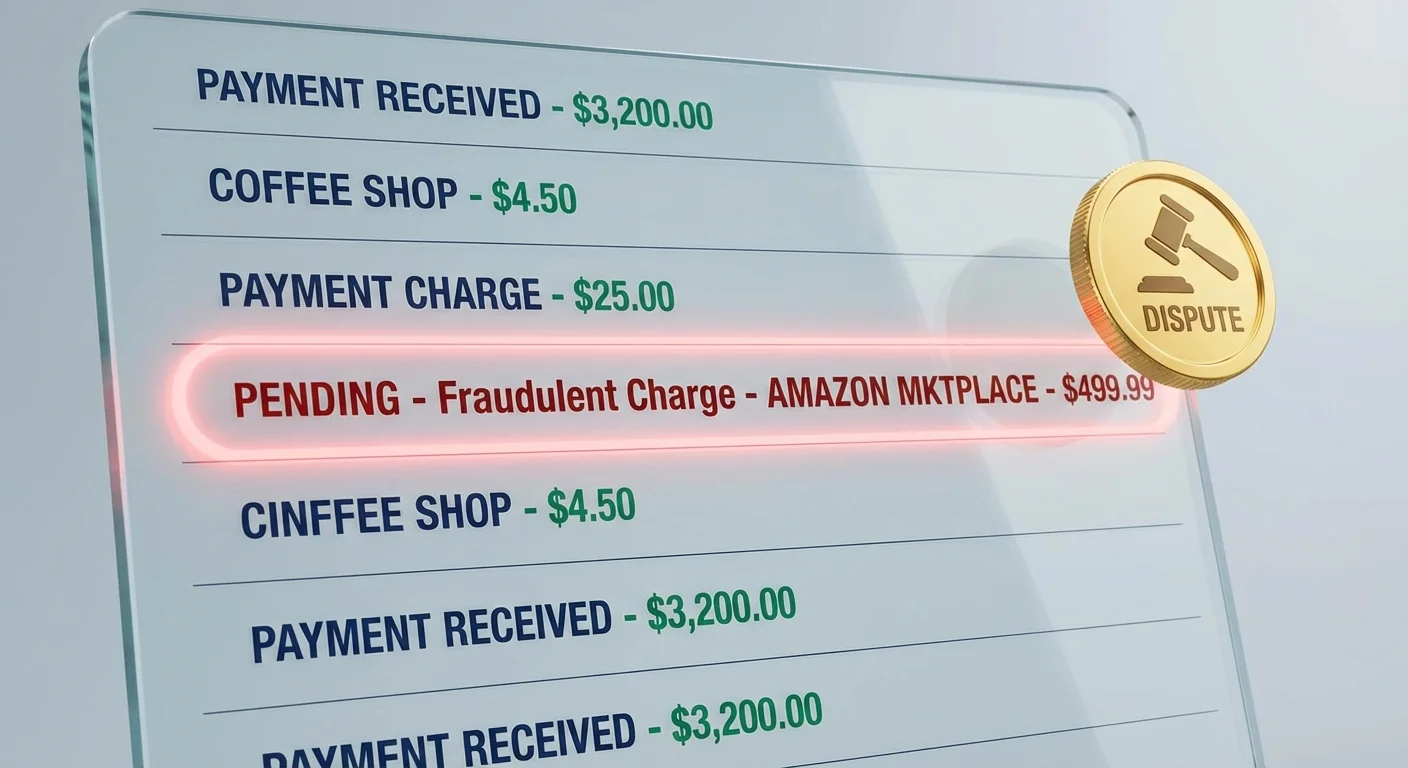
Duplicate Charges: Sometimes a merchant’s system glitches and swipes your card twice for the same bag of groceries. On a statement, this looks like two identical dollar amounts from the same merchant on the same or consecutive days.
Incorrect Refund Amounts: If you returned a $50 shirt, verify that $50 (plus tax) actually landed back in your account. Sometimes the “Credit” (CR) never actually posts because of a processing error at the retail level.
Small “Test” Charges: Professional hackers often don’t steal $1,000 at once. They may run a “test” charge of $0.01 or $1.00 to see if the card is active and if the owner is paying attention. If you see a tiny charge from a merchant you don’t recognize, treat it as a full-blown security breach. Contact your bank immediately to freeze the card and issue a new one.

The Step-by-Step Reconciliation Process
You don’t need to be an accountant to reconcile your account. Follow these steps once a month to ensure your records align with the bank’s reality.
- Gather your tools: Open your statement and your primary tracking method (a budgeting app, a spreadsheet, or a paper checkbook register).
- Tick off the matches: Go through the statement line by line. When you see a charge that matches your records, check it off.
- Identify the outliers: Look for any items on the statement that aren’t in your records (like bank fees) and any items in your records that aren’t on the statement (like a check you wrote that hasn’t cleared yet).
- Adjust the math: Take the ending balance from the statement, add any deposits that haven’t shown up yet, and subtract any outstanding checks or withdrawals. The result should match your current record.
- Investigate discrepancies: If the numbers don’t match, look for “transposed digits.” For example, if you recorded a charge as $45 but the bank says $54, you’ve found a $9 error.

The Importance of FDIC and NCUA Protections
As you read your statement, you should see a small logo or text that says “Member FDIC” or “Insured by NCUA.” This is your safety net. The Federal Deposit Insurance Corporation (FDIC) protects your deposits up to $250,000 per depositor, per insured bank, for each account ownership category. For credit unions, the National Credit Union Administration (NCUA) provides similar protection. If your bank statement does not clearly indicate this insurance, you should move your money to an institution that does. This insurance ensures that even if the bank fails, your money remains safe.

Digital vs. Paper: Which is Better?
Most banks now default to electronic statements (e-statements) to save on postage and paper. While e-statements are more environmentally friendly and often more secure—since they can’t be stolen from your physical mailbox—they are easier to ignore. If you choose e-statements, set a monthly calendar reminder to log in and download the PDF. Saving these files to an encrypted folder on your computer ensures you have a permanent record for tax purposes or loan applications, as many banks only keep online history available for 18 to 24 months.

When to Consult a Professional
While most bank statement issues can be handled with a quick phone call to customer service, some situations require expert intervention. Consider reaching out to a financial advisor or a legal professional if:
- You discover large-scale unauthorized transfers that the bank refuses to reverse.
- Your statements show evidence of “commingling” in a business account that could create massive tax liabilities.
- You are going through a divorce or legal separation and suspect “hidden” transactions or accounts.
- The Consumer Financial Protection Bureau (CFPB) needs to be involved because the bank has failed to respond to your written error disputes within the legally mandated timeframe.
Frequently Asked Questions
How long should I keep my bank statements?
Generally, you should keep bank statements for one year. However, if the statements contain information related to your taxes (like proof of a charitable donation or business expenses), keep them for seven years to satisfy potential IRS audit requirements.
What should I do if I find an error?
Call your bank’s fraud or customer service department immediately to flag the transaction. Follow up with a formal letter sent via certified mail. This starts the legal clock under the Electronic Fund Transfer Act, which protects your right to a resolution.
Can I see who deposited money into my account?
The statement usually provides a description, such as the name of the employer for a direct deposit or the location of the ATM for a cash deposit. For person-to-person transfers like Zelle or Venmo, the sender’s name is typically included in the transaction description.
Why is my “Available Balance” different from my “Current Balance”?
The current balance is the total amount of money in your account at the start of the day. The available balance subtracts any “pending” charges or “holds” that haven’t fully processed yet. Only the available balance is truly yours to spend at that moment.
Reviewing your bank statement is the most basic, yet most effective, form of financial self-defense. By spending just fifteen minutes a month decoding those symbols and verifying those numbers, you protect yourself from the “death by a thousand cuts” caused by forgotten subscriptions and bank errors. Take the time to download your most recent statement today. Look past the final balance and start reading the story your money is trying to tell you.
The information in this guide is meant for educational purposes. Your specific circumstances—including income, debt, tax situation, and goals—may require different approaches. When in doubt, consult a licensed professional.
Last updated: February 2026. Financial regulations and rates change frequently—verify current details with official sources.




Leave a Reply